Insight Lens
What it does
Import PDF surveys
Drop in unit survey PDF reports and extract the data automatically — no manual re-keying or spreadsheet wrangling.
Rich visualisations
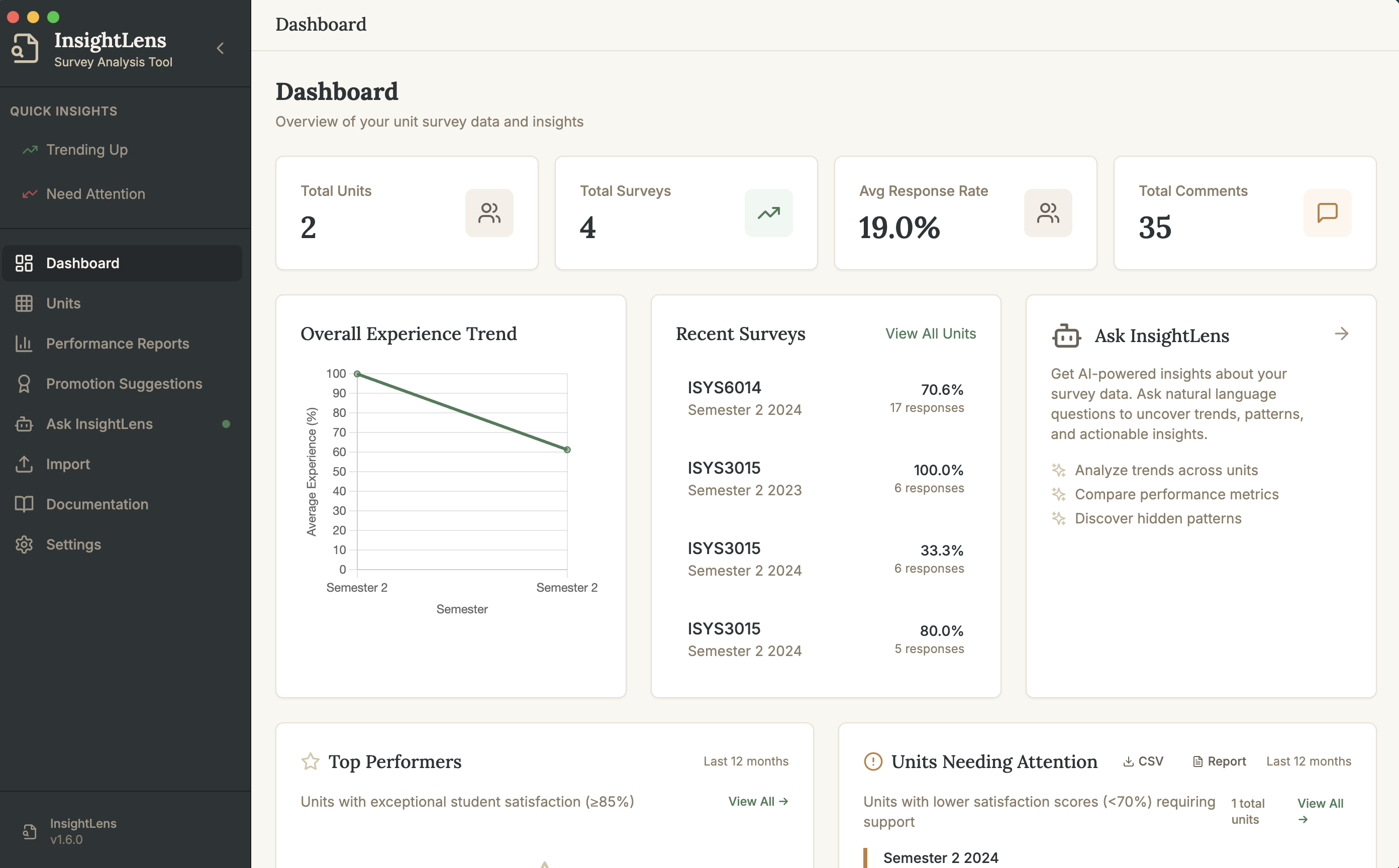
Charts for trends over semesters, comparisons across units, and breakdowns that actually make survey data legible.
Privacy-first
Everything stays on your computer. No cloud upload, no account, no telemetry — your survey data never leaves your machine.
AI assistant
Optional AI-powered analysis using your own API key. Ask questions about your data and get summaries in plain English.
Local SQLite database
Your data lives in a SQLite file you control. Inspect it, back it up, or query it directly — no vendor lock-in.
Cloud-sync ready
Point the database at a Dropbox, iCloud, or OneDrive folder and your survey history follows you across machines.
How it works
Import your PDFs
Drag unit survey reports into Insight Lens and let it extract the numbers, comments, and metadata for you.
Explore the data
Browse units, semesters, and question categories with interactive charts and filters.
Ask the AI
Bring your own API key and ask questions like “what changed since last semester?” or “summarise the open comments”.
Track over time
Keep a running history in a local database you own — watch trends emerge across years of surveys.